Phishing simulation · training · risk measurement

Would your team take the bait?

DECOYA sends your people fake phishing emails, the same kind real attackers send. Whoever clicks gets a short lesson right away, while the mistake is still fresh. Whoever reports it gets counted too. You get a number that shows whether the company is harder to fool this month than last.

No blame, no name-and-shame. A mistake becomes a lesson.

An email from a simulation. What would you do?

Inbox

IT Support <helpdesk@account-verify.com>

to: you · 9:12 AM

Urgent: your password expires today at 5:00 PM

Dear user,

as part of our move to a new system, every password that hasn't been confirmed expires today at 5:00 PM. After that your account is locked and you lose access to email.

Confirming takes less than a minute.

IT Department

https://account-verify.com/confirm?id=4471

Simulation

Hooked. No harm done this time.

In a real campaign, this is where a short lesson on this type of attack would open. Here's what should have stopped you:

Simulation

Exactly right. You reported it.

The report goes to the security team and shows up in the results. Here's what gives the email away:

  1. 1The sender isn't from your company: account-verify.com.
  2. 2A deadline a few hours away. Rushing you is the oldest trick there is.
  3. 3“Dear user”. Your IT team knows your name.
  4. 4The button points to someone else's domain. Hover before you click.
Click the button or report the email

A four-step loop

One campaign, from email to report

The same loop runs every month or quarter. A different scenario each time, and a number you can compare with the last one.

  1. 01

    Simulate

    Pick a template from the library, a group of people and a time. The wizard has six steps and checks the setup before anything is sent.

  2. 02

    Track

    Who opened, who clicked, who entered data, and who reported the email as suspicious. Per person and per department.

  3. 03

    Train

    Anyone who slips gets a module for exactly that type of attack. About 12 minutes, ending in a quiz. Deadlines are tracked.

  4. 04

    Measure

    Organization posture, compromise rate and the trend over time. HTML or CSV reports, for the board or for an audit.

What the platform records

A click is a data point, not a verdict.

An employee who clicked isn't the problem. The problem is when nobody knows it happened. DECOYA records every step and counts the people who reported the email separately, because that's the reflex you want across the whole company.

Campaign · Delivery notice Finished
  • Sent100%
  • Opened64%
  • Clicked23%
  • Entered data9%
  • Reported31%
Illustration · sample data

7

attack types, mapped to MITRE ATT&CK

70+

email and landing page templates

~12min

per training module

6

steps to a live campaign

Attack library

The attacks that actually land in inboxes

Templates in English and Serbian, built on scenarios your people already get: delivery notices, shared documents, LinkedIn invitations, messages from the bank.

  • Credential Harvest

    A fake sign-in page asks for a password. The most common scenario and the most common cause of incidents.

  • Malware Attachment

    An attachment that “has to be opened now”: an invoice, a contract, an offer.

  • Link in Attachment

    A link tucked inside a PDF or document, where filters look less often.

  • Link to Malware

    “Download the file” from a cloud service that looks familiar.

  • Drive-by URL

    Opening the page is enough. No download, no form.

  • OAuth Consent Grant

    An app asks for access to the account. It doesn't even need the password.

  • How-to Guide

    Educational emails that explain how to spot an attack.

Platform

What it looks like from the other side

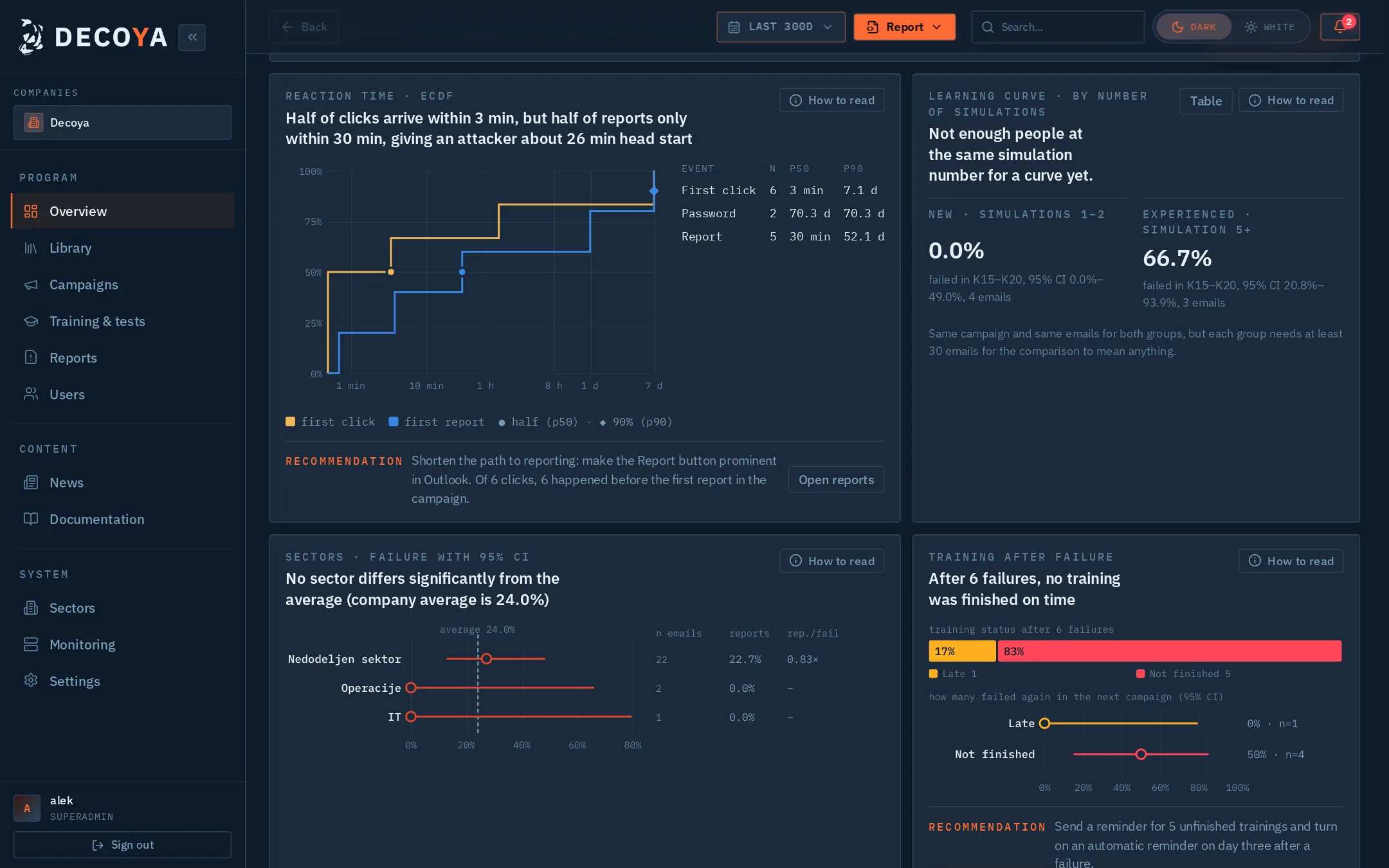
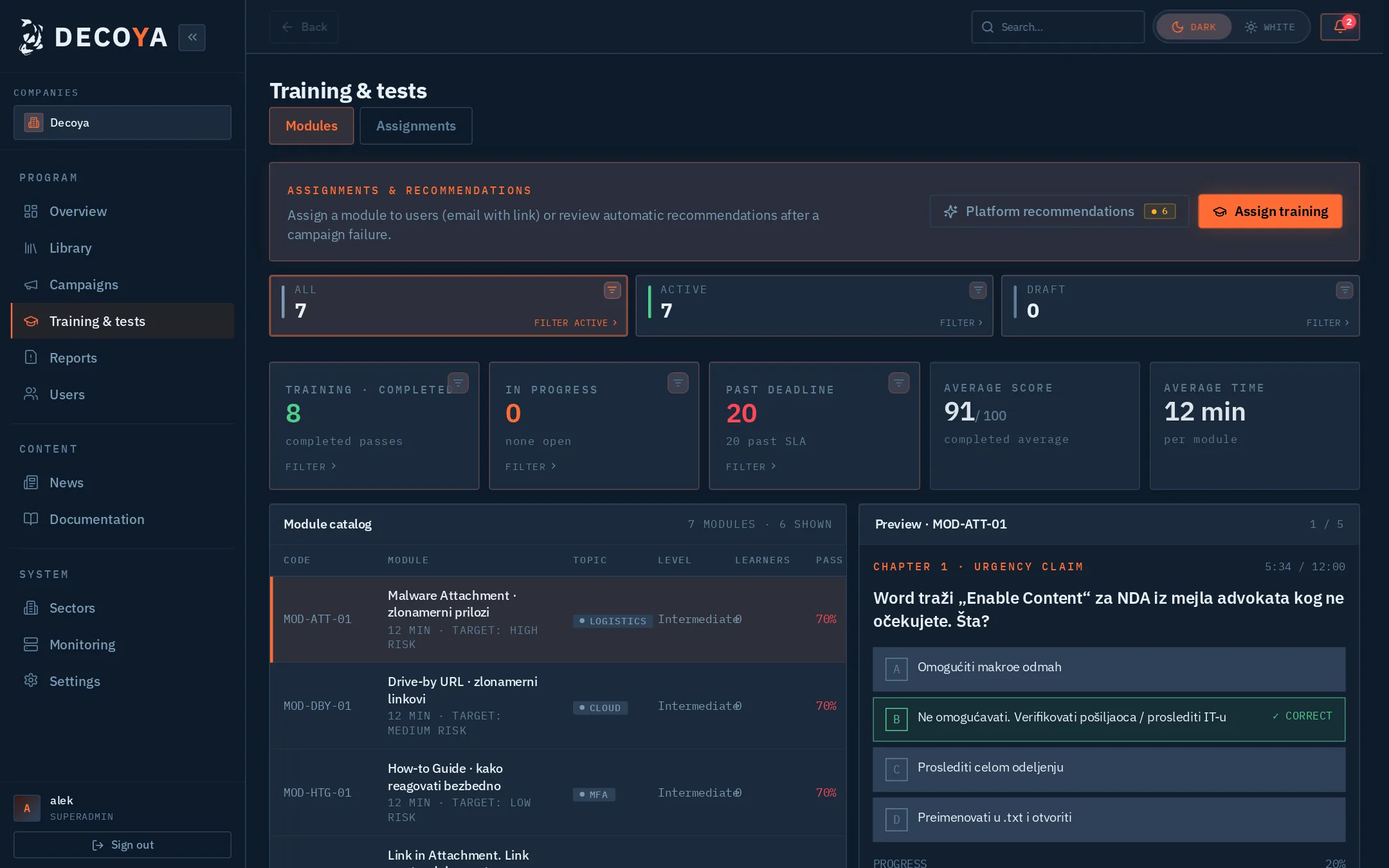
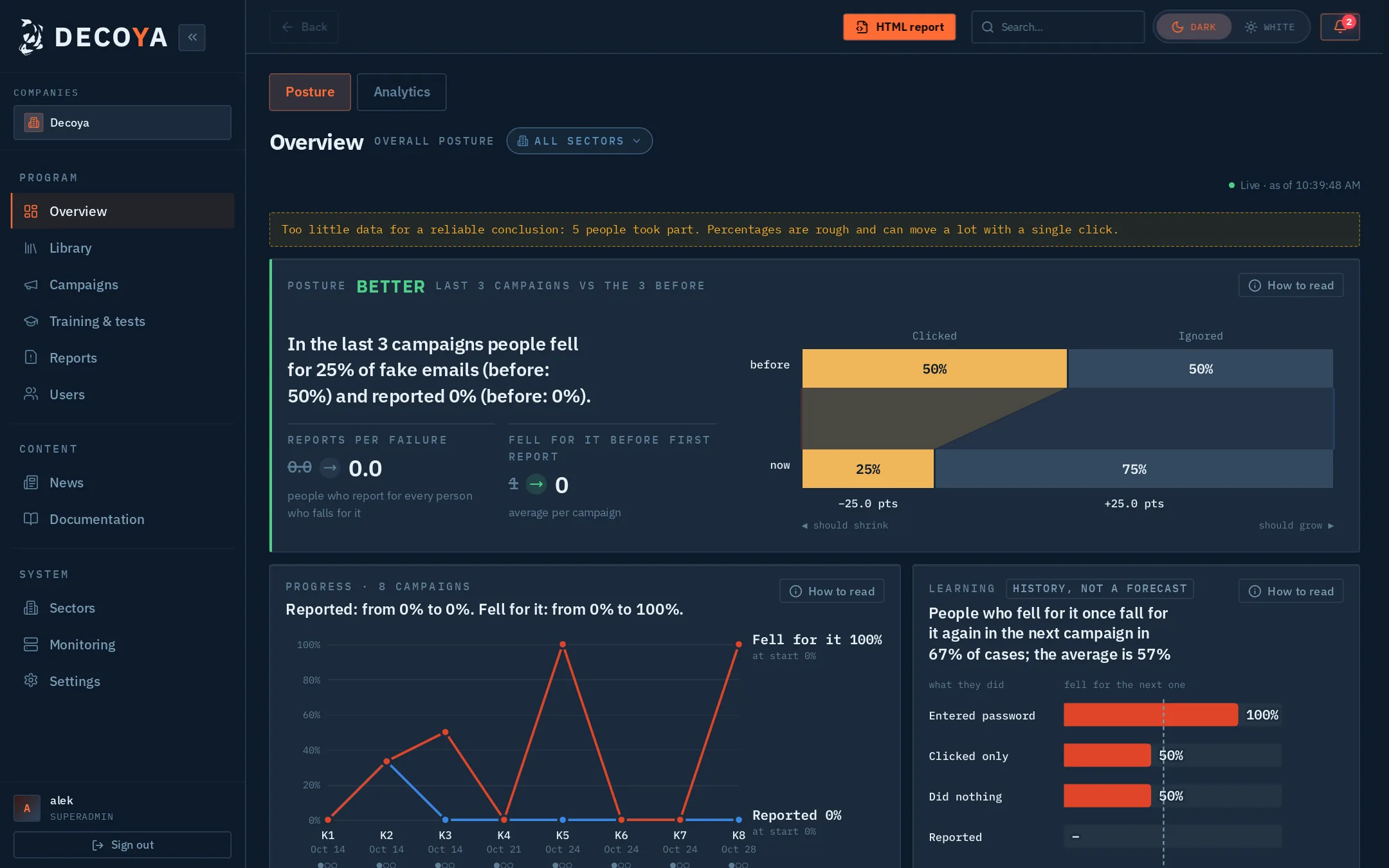
These are real screens from the DECOYA platform, with demo data.

DECOYA overview: organization posture, active campaigns and recommendations
The whole organization's posture on one screen: active campaigns, coverage, training and the next steps the platform suggests.
Demo data

Included

Everything a program needs, not just a single campaign

  • Report button

    Employees report suspicious emails into a review queue. A good reflex shows up in the results, not only the mistakes.

  • Training with deadlines

    Modules with quizzes, deadlines and reminders, average score per department. The platform suggests who needs what.

  • Users and departments

    Active Directory sync or CSV import. Bulk actions on hundreds of people at once.

  • Multiple organizations

    One installation, several companies or subsidiaries, each with its own data and departments.

  • Secure administration

    MFA, an audit log of every change, and view-only accounts for management and auditors.

  • Your data stays with you

    The platform runs on your own infrastructure, in Docker. Employee data doesn't go to third parties.

  • Threat news

    Current phishing, malware and CVE feeds in one place, as ideas for the next campaign.

  • English and Serbian

    Interface in English and Serbian (Latin and Cyrillic). Dark and light themes.

Who it's for

Three teams, one number

01

CISO and IT leadership

Human risk as a number you can show the board, and a trend that shows whether training is actually working.

02

Security and IT teams

Campaigns without the busywork: ready templates, scheduling, a report queue and reports that build themselves.

03

HR and L&D

Training people actually finish, because it takes twelve minutes and shows up when it makes sense.

People aren't the weakest link. Untrained people are.

FAQ

What people usually ask us

What is a phishing simulation?

A controlled, harmless fake attack. An employee gets an email that looks like real phishing. If they click, nothing breaks: they see what they should have noticed and a short lesson.

Isn't this just catching people out?

It isn't, and it shouldn't be. The goal is a habit, not a penalty. That's why DECOYA also records reported emails and offers a lesson after a mistake instead of a warning.

Where is the data stored?

The platform is installed on your own infrastructure, so data about employees and results stays with you.

How much work is the first campaign?

Once users are imported from Active Directory or a CSV file, you build a campaign in a six-step wizard. The templates are ready, so you don't write emails from scratch.

Which languages does it support?

The interface is in English and Serbian (Latin and Cyrillic). Templates and training exist in both languages.

What does a demo look like?

We walk through one campaign together, from choosing a template to the report, using sample data. Nothing to install.

Demo

See how your team would do

Leave your details and we'll get back to you to set a time. We show the platform live, with sample data.

  • A full campaign walkthrough
  • Questions about installation and data
  • No commitment

We only use your details to reply to you.